
Runway: AI Image & Video
Runway AI IncArt & Design
4.1261.00 Reviews
- Version
- 103.0.0
- Installs
- 1.00M
- Age Rating
- Everyone
Screenshots
Our Review of Runway: AI Image & Video
 Analysis by Appyee
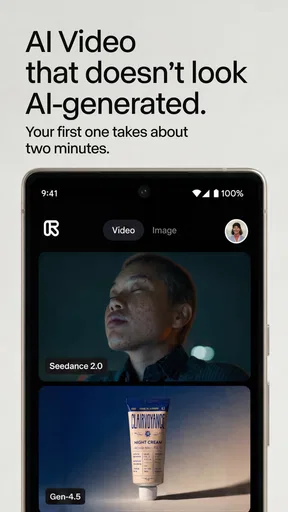
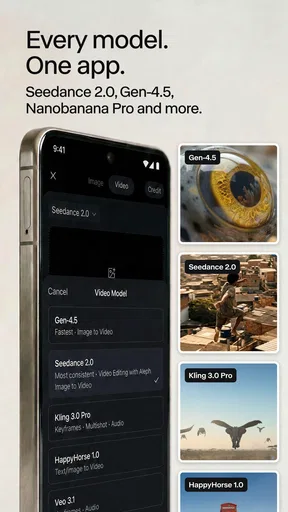
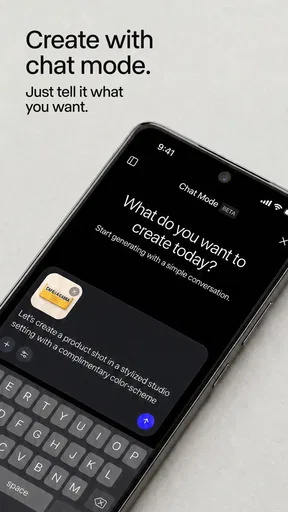
I approached Runway: AI Image & Video as a practical creative tool rather than a magic button. It comes from Runway AI Inc and sits in the Art & Design category, but its real appeal is closer to a compact studio: you can use it to explore visual ideas, generate images, and turn concepts into short video experiments without moving between several unrelated apps. The store summary highlights Seedance 2.5, Gen-4.5, and Runway Agent, so the experience is clearly aimed at people who want several AI creation routes in one place.
My first impression was that the app is most useful when I already have a clear visual goal. A short prompt such as “a city at night” is easy to write, but it leaves too many creative decisions open. The better results come from describing the subject, movement, atmosphere, framing, and intended feeling. That makes Runway feel less like a social camera and more like a sketchbook for people who are willing to direct the result.
Where the first attempts usually get stuck
The biggest source of frustration is not necessarily the generation itself. It is the gap between what a person imagines and what an AI system can infer from a brief sentence. If I ask for a cinematic scene but do not explain whether the camera should remain still, move forward, or follow the subject, I am leaving an important part of the shot to interpretation. The output may be attractive while still being wrong for the project.
I found it more productive to separate the request into layers. First I describe the main subject. Then I add the action, the environment, the camera behavior, the lighting, and the visual style. This is a more reliable workflow than piling on decorative adjectives. For example, a product concept benefits from a clean background and controlled movement, while a story scene may need a specific character action and a defined change in perspective.
Another sticking point is expecting every generated result to be ready for publication. Runway is excellent for ideation, mood boards, visual tests, and early concepts, but generated content still needs judgment. Hands, text inside images, small objects, and complicated interactions deserve careful inspection. I would not treat a first result as final simply because the overall composition looks impressive.
The app’s broad scope can also make the starting point unclear. Image generation, video generation, and agent-style assistance suggest different ways of working. I recommend choosing one modest task first: create a visual reference, test a short motion idea, or develop several versions of a scene. That gives you a clearer sense of how the app responds before you invest time in a large creative request.
A useful way to write prompts
I get more consistent results when I write prompts almost like shot notes. I name the subject, state what it does, describe the setting, and then explain how the camera should see it. The final part can cover light, color, texture, or mood. This order keeps the important information near the front and reduces the chance that the central action gets buried beneath style language.
For image work, I also try to avoid asking for too many unrelated ideas in one generation. If I want a poster, a realistic portrait, and a surreal landscape, I make separate requests. That makes comparison easier and gives me a cleaner starting point for revisions. For video, I keep the action simple at first, then add complexity only after the basic movement feels right.
The most practical insight is to treat each generation as a direction test, not a final delivery. Save the wording that produced a useful composition, then change one meaningful element at a time. Altering the subject, camera, lighting, and style simultaneously makes it difficult to understand why a later result improved or deteriorated.
Setup checks that prevent avoidable problems
Runway is free to install, and its content rating is Everyone, which makes it approachable for a wide audience. It requires Android 9 or later, so I would check the phone’s operating system before troubleshooting anything inside the app. The current version is 95.0.0, and keeping the installation current is a sensible first step when screens behave unexpectedly or a generation does not begin normally.
Connection quality matters more here than it does in a simple offline drawing app. Image and video creation involve sending a request and waiting for processing, so an unstable connection can look like an app failure. If a request appears frozen, I first check whether other online services load normally, then retry after switching between a dependable Wi-Fi connection and mobile data. I avoid repeatedly tapping the generate control because that can make it unclear whether one request or several were submitted.
It is also worth checking available storage before starting a project that involves many saved results. Even when processing happens remotely, downloaded previews, exports, and screen recordings can accumulate. I prefer to keep only the strongest variations on the device and move finished work into a clearly named folder. This simple habit prevents the later confusion of searching through dozens of nearly identical files.
The app includes in-app purchases ranging from $7.49 to $899.99 per item, so I would review the purchase screen carefully before confirming anything. The free entry point is useful for deciding whether the workflow suits you, but frequent experimentation can make costs an important part of the decision. I would not begin a serious project until I understood which actions might lead to a purchase prompt and whether the available allowance matches my intended use.
That cost question is especially relevant for students, casual creators, and anyone making several variations of the same scene. A single successful result may be enough for a personal idea, while a campaign, storyboard, or sequence can require many attempts. Runway is therefore easier to recommend when the value of rapid visual exploration matters more than having unlimited low-cost experimentation.
What to check before blaming the app
When something goes wrong, I use a short sequence instead of immediately reinstalling. I confirm the app is updated, check the network, close other demanding apps, and retry with a smaller request. If a simple image request works but a more ambitious video request does not, that difference is useful information: the problem may be related to the complexity or processing demand of the task rather than the basic installation.
I also make sure the prompt does not contain an accidental contradiction. Asking for a locked-off camera that rapidly circles a subject, or requesting both a completely empty scene and several foreground objects, gives the system competing instructions. Simplifying the wording often produces a better result than adding more explanation.
For people using an older phone that meets the minimum operating-system requirement, the experience may still feel less comfortable than on a newer device. I would avoid running several heavy apps at once and would give the generation time to finish rather than repeatedly switching screens. A clean restart can help with temporary interface problems, but it should not be the first response to every imperfect creative result.
Recovering a workflow after a weak result
A failed generation does not always mean the whole idea needs to be abandoned. I usually identify what was useful in the output first. Perhaps the framing worked but the subject looked wrong, or the lighting was strong but the motion was too chaotic. I then keep the successful part in the prompt and revise only the weak section. This turns the process into editing rather than random trial and error.
One effective recovery method is to reduce the scene to a single visible action. A person walking through a room is easier to direct than a person walking, turning, speaking, opening a drawer, and handing an object to someone else in the same request. Once the basic action is convincing, I can explore more ambitious variations. This is particularly helpful when a video concept feels visually attractive but lacks readable movement.
For a sequence of related images, I would establish the setting and visual language before chasing small details. Create a strong reference for the environment, then use it as a guide for later prompts. The trade-off is that this may feel slower than generating every shot independently, but it can produce a more coherent project. Without that discipline, each result may look good alone while the collection feels inconsistent.
Another non-obvious tip is to keep a small prompt journal outside the app. I record the wording behind results I might reuse and note what changed between versions. This matters because visual generation can be difficult to reproduce from memory. A simple note containing the subject, action, camera direction, and style is often more useful than saving a file with an unhelpful name.
If a result is almost right, I resist the temptation to add a paragraph of extra adjectives. More words do not automatically mean more control. I first correct the most important mismatch, such as the subject’s position or the direction of movement. After that, a modest style adjustment is easier to judge. This approach also helps me distinguish a prompt problem from a limitation of the generated scene.
When the app is not the right tool for the job
Runway makes sense when I want to explore an idea quickly or create a visual starting point. It is less suitable when I need precise manual control over every pixel, frame, layer, or typographic detail. A conventional drawing app remains better for exact illustration, while a traditional video editor is usually the stronger choice for timeline editing, audio placement, transitions, and repeatable production control.
I would also think twice before choosing it as the only tool for a project that depends on exact brand assets or flawless written text inside an image. AI-generated lettering can require correction, and a design that must follow strict layout rules is often faster to finish manually. Runway can still provide the background, mood, or rough concept, but another application may be needed for the final assembly.
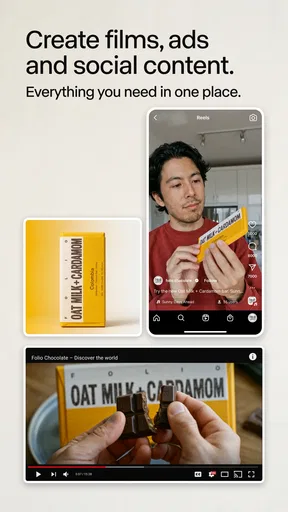
The app is a better fit for a filmmaker exploring a scene, a designer building references, a teacher preparing a visual explanation, or a social creator testing several concepts before choosing one. It is less convincing for someone who wants a simple filter, a basic collage maker, or a predictable one-tap result. Those users may find the creative freedom unnecessary and the generation process more involved than expected.
Its audience size suggests that the approach has broad interest: the app has passed one million installs, with an average rating of 4.0 from around 4.9 thousand ratings. I read that as a sign of a capable but not universally effortless experience. The tool can be rewarding, but the outcome depends heavily on how clearly the user directs it and how patiently they refine the result.
My practical verdict after using it
Runway: AI Image & Video is worth trying if you want an AI-assisted workspace for visual experiments rather than a conventional editor. I like its combination of image and video creation, and the inclusion of Seedance 2.5, Gen-4.5, and Runway Agent gives the app a wider creative range than a narrowly focused generator. The strongest use is early and middle-stage work: brainstorming, visual development, mood exploration, and testing possible directions.
My recommendation comes with a clear condition: approach it as a director, not as a vending machine. Write prompts with structure, begin with manageable scenes, keep notes on successful wording, and inspect every important detail before sharing the result. If a generation stalls, check the operating system, connection, app version, and device conditions before assuming the creative request itself is impossible.
The free price makes the first evaluation easy, but the in-app purchase range means regular users should consider their budget before building a workflow around repeated generations. I would start with a small personal project and decide whether the speed of visual exploration justifies the potential cost. For precise finishing, dependable typography, or full timeline control, I would pair it with a traditional design or editing tool rather than expecting one app to handle everything.
Overall, I see Runway as a strong companion for people who enjoy experimenting and are comfortable making creative decisions after the AI produces a draft. It is not the best choice for instant, perfectly controlled output, but it can shorten the distance between an idea and something visible. For me, that makes it a useful addition to an Android creative toolkit, provided I keep expectations realistic and treat each result as material to evaluate, refine, and sometimes replace.
Privacy and Permissions
See what permissions an app requests and how it handles your data.
- Photos/Media/Files
- read the contents of your USB storage, modify or delete the contents of your USB storage
- Storage
- read the contents of your USB storage, modify or delete the contents of your USB storage
- Camera
- take pictures and videos
- Microphone
- record audio
- Wi-Fi connection information
- view Wi-Fi connections
- Other
- view network connections, pair with Bluetooth devices, access Bluetooth settings, full network access, change your audio settings, run at startup, draw over other apps, control vibration, prevent device from sleeping, Google Play license check
Verdict
Strengths of Runway: AI Image & Video
- Generates polished images and short videos from simple text prompts.
- Offers useful AI editing tools for removing, replacing, or extending visuals.
- Supports creative experimentation without requiring advanced editing skills.
- Web and mobile access make projects convenient to review and continue.
- Regular model updates can improve output quality and available features.
Limitations of Runway: AI Image & Video
- Free usage is limited, so frequent generation may require a paid plan.
- Complex prompts can produce inconsistent details or unwanted visual artifacts.
- Video generation may take time, especially during periods of high demand.
- Some advanced tools and export options are restricted to subscribers.
- AI results can include odd motion, distorted hands, or inaccurate text.
Similar Picks in This Category
View All
Canva: AI Photo & Video Editor
Canva4.8

PENUP – Drawing-sharing SNS
Samsung Electronics Co., Ltd.4.5

Crafto
Kutumb App4.6

Sketchbook
Sketchbook4.1

ibis Paint X
ibis inc.4.5

Adobe Express: AI Photo, Video
Adobe4.6
Frequently Asked Questions
What is Runway: AI Image & Video used for?
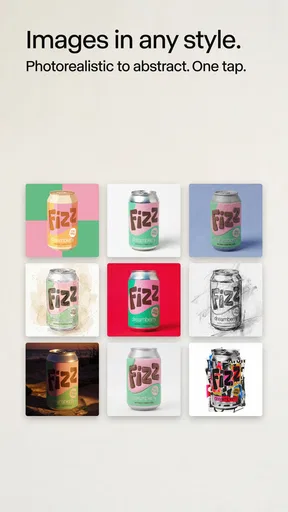
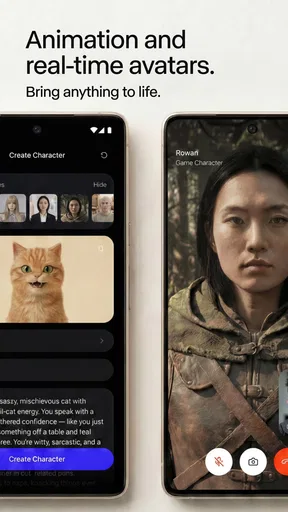
Runway: AI Image & Video is a creative platform for generating and editing visual content with artificial intelligence. After exploring its main tools, I found that it can help users create images, produce short AI-generated videos, animate visual ideas, remove or replace elements, and experiment with different styles. It is aimed at creators, marketers, designers, filmmakers, and curious beginners who want to turn text prompts or existing media into polished visual concepts.
Is Runway: AI Image & Video free to download and use?
The app can generally be downloaded without an upfront purchase, but access to its most advanced generation and editing features may depend on credits, usage limits, or a paid subscription. Free access is useful for testing the interface and trying selected tools, although frequent image or video generation can consume credits quickly. Before subscribing, check the current pricing, included credits, renewal terms, and whether unused credits expire.
Does Runway work well on Android and iOS devices?
Runway is designed to provide a mobile creative experience, but the exact features and performance can vary depending on the device, operating system, internet connection, and account plan. Image creation and reviewing projects are convenient on a phone, while detailed video work may feel more comfortable on a larger screen. A modern device, updated operating system, and stable Wi-Fi or mobile data connection are recommended for smoother use.
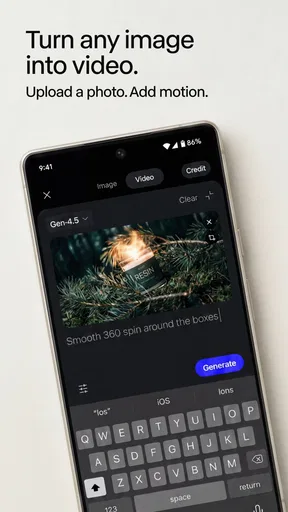
Can Runway create videos from text or images?
Yes, one of Runway’s main attractions is its ability to transform written descriptions or reference images into AI-assisted video content. Results depend heavily on the prompt, source image, selected model, and generation settings. In my experience, clear descriptions that explain the subject, movement, camera perspective, lighting, and visual style tend to produce more predictable results. AI-generated clips may still require several attempts and manual refinement.
Are there privacy, copyright, or content restrictions in Runway?
Users should review Runway’s current privacy policy, terms of service, and content guidelines before uploading personal photos, confidential material, or commercially important assets. AI-generated results may not always provide exclusive ownership or guaranteed protection from third-party similarities, and uploaded content can be processed through online servers. Avoid using copyrighted media without permission, and do not create harmful, deceptive, or unauthorized images and videos involving real people.
